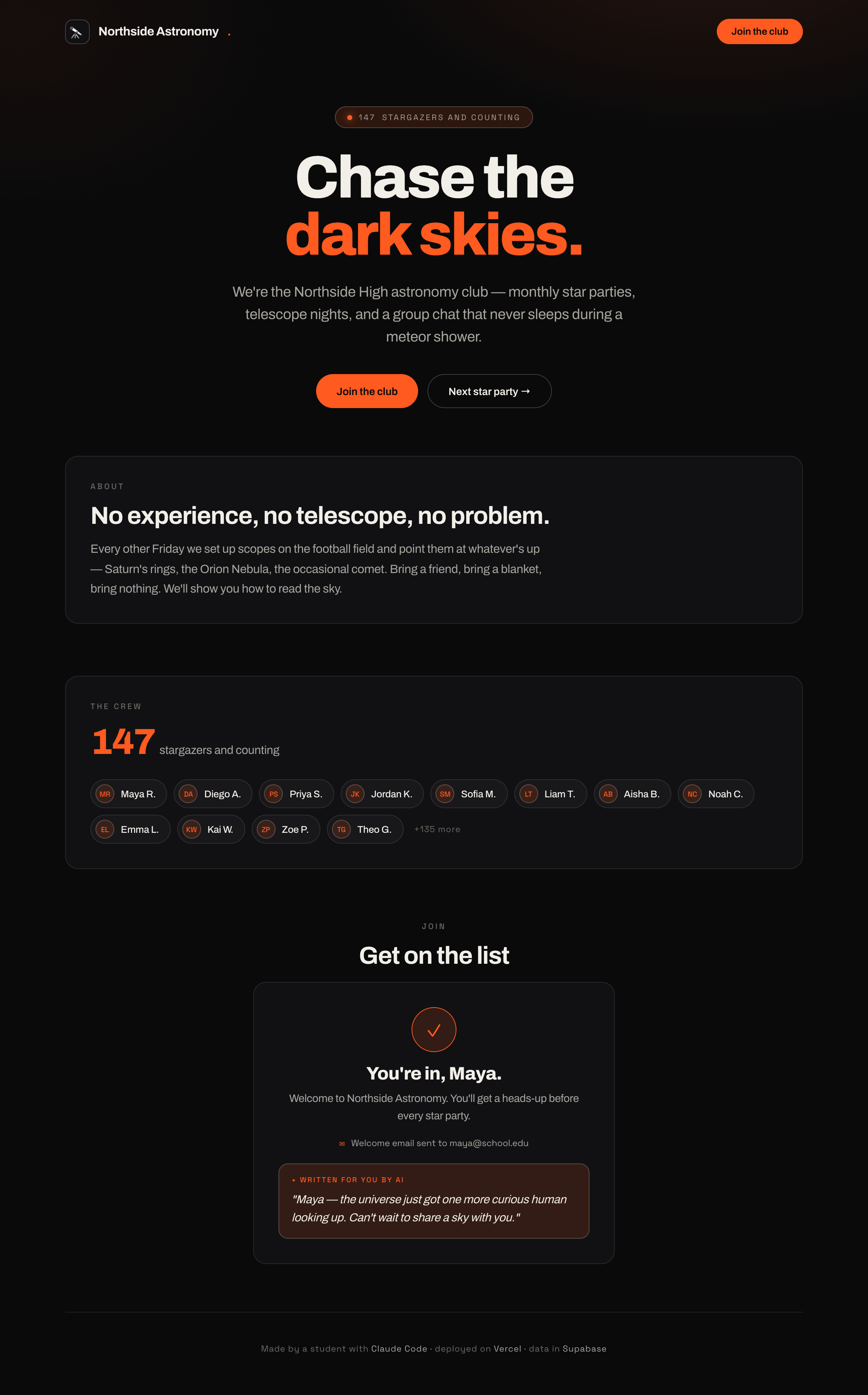
They've used AI to build; now they make their site use AI for its users. Meta and motivating.
Concepts
- The same kind of AI they've been coding with can be called from their app via an AI API.
- An API call = your backend sends a prompt + data, gets text back.
- Prompting in code is the same skill as prompting Claude Code: be specific, give context.
- Cost & safety: API calls aren't free, and you should never trust raw AI output blindly or send it secrets.
Talking points
- You used AI to build the site; now the site uses AI for its visitors.
- It's just another backend API call: send a prompt, get text.
- Good prompts in code = good prompts in chat. Same skill.
- AI can be wrong, so design features where "a little wrong" is fine.
Pick a feature (low-risk, high-delight)
- AI welcome message: generate a personalized welcome line from the member's name + club.
- AI club FAQ bot: answer questions about the club from a blurb you provide.
- Signup summarizer: "Here's the vibe of who's joined so far" from the member list.
Steer them toward features where being slightly off is harmless. Avoid anything that gives advice or handles sensitive info.
Live demo (I do)
- Add an AI API key to
.env. - Have Claude add a backend route that takes the new member's name + club and returns a one-line personalized welcome, shown after signup.
- Sign up live; show the AI-generated welcome.
Copy-paste prompts
When someone signs up, call an AI API from my backend to generate a
fun, friendly one-sentence welcome message using their name and the
club name. Show it on the success screen. Put the API key in .env.
Handle the case where the AI call fails by showing a normal welcome
instead.
Add a small "Ask about the club" box. When a visitor types a
question, send it plus this club description [paste description] to
the AI and show the answer. Keep answers short and on-topic.
Where it breaks
- No fallback when the AI call fails. Always have a plain-text backup (built into the prompt above). Great lesson: don't let a flaky dependency break your page.
- Cost surprises. Set expectations; keep features small; the instructor owns the key and watches usage.
- Prompt injection / weird output in the FAQ bot (someone types "ignore your instructions"). Age-appropriate intro to "don't fully trust user input or model output."
- Over-ambition. One small working AI feature beats a giant broken one.
Check for understanding
- How is calling an AI from your code like chatting with Claude Code?
- Why does every AI feature need a fallback?
- Why pick a feature where "a little wrong" is okay?
Stretch
Let the user pick a tone (formal/funny/hype) for their welcome message — same data, different prompt.
For the instructor
This ties the whole arc together: they used AI to build a thing that now uses AI. Name that out loud. Keep the feature tiny; the concept is the prize.