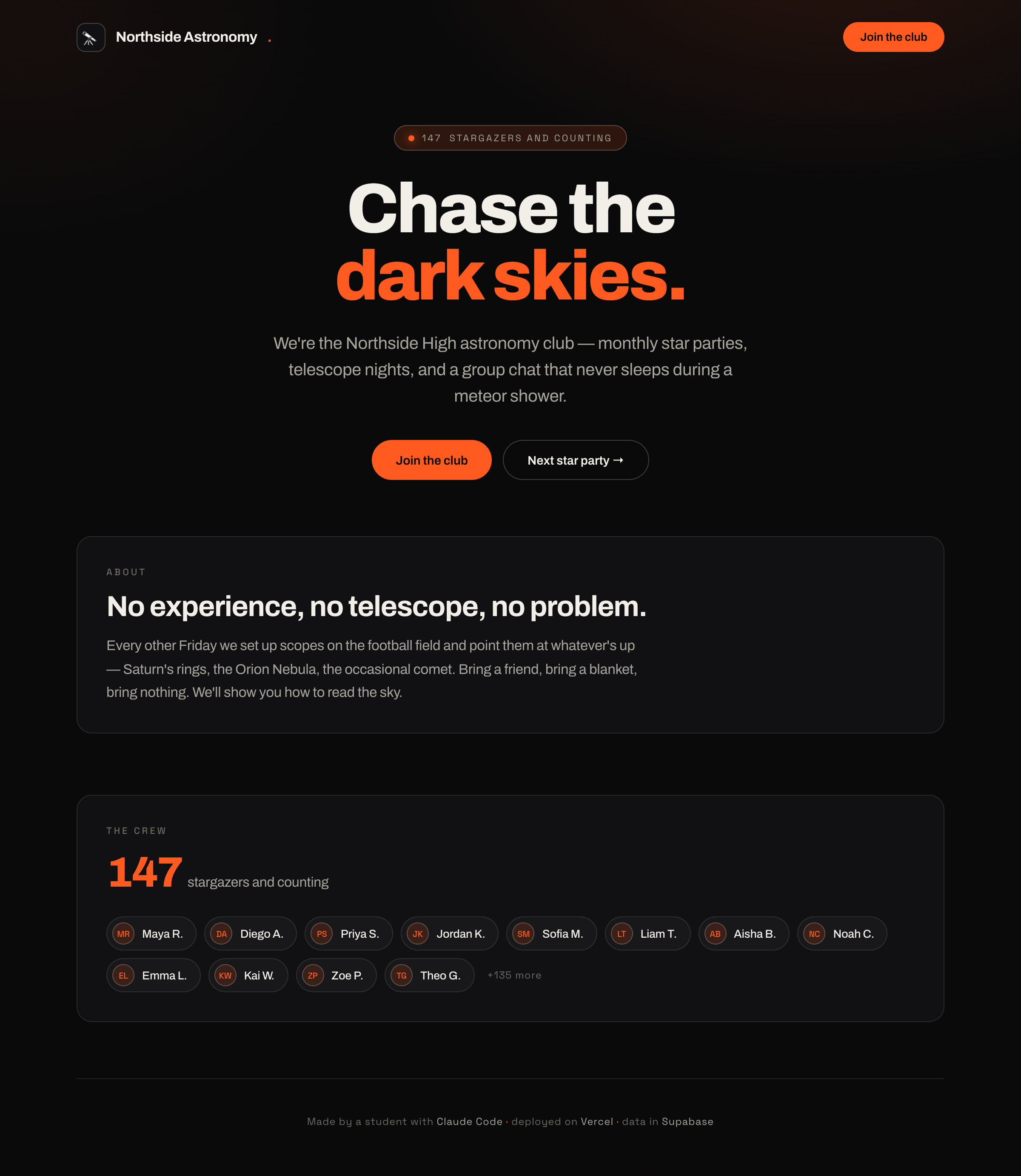
"Your site can now remember things." Refresh the page and the data's still there — that's the leap from poster to product.
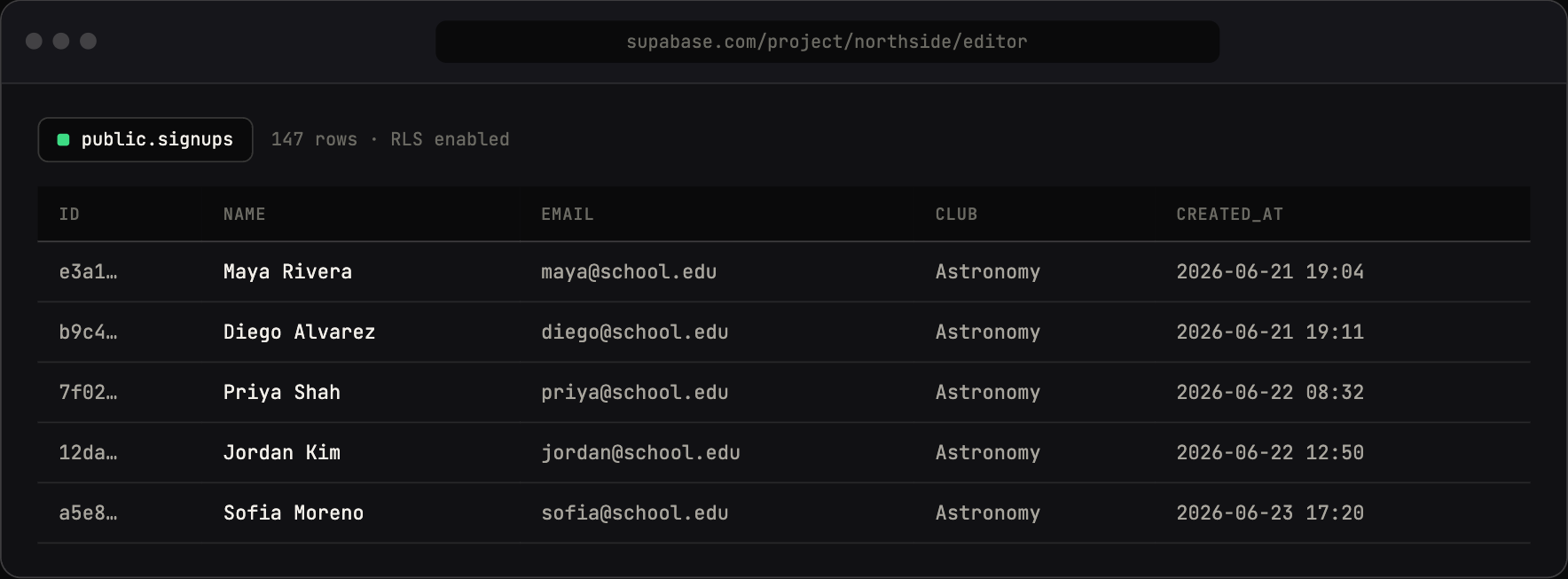
The same signups, in the Supabase table editor — the database behind the member list on the site.
Concepts
- A database is a smart spreadsheet the website can read and write.
- A table has columns (name, email, joined_at) and rows (each signup).
- Supabase gives you a free hosted database with a friendly dashboard.
- Environment variables / keys: secret passwords your app uses to talk to the database. They never go in the code or on GitHub.
Talking points
- A database = a spreadsheet your website controls.
- Table = the sheet, columns = the headers, rows = the entries.
- Supabase hosts it for free and gives you a dashboard to see the data.
- Secret keys are like house keys — you don't tape them to the front door (or push them to GitHub).
Secret keys are like house keys — you don't tape them to the front door (or push them to GitHub).
Live demo (I do)
- Create a Supabase project; show the dashboard.
- Make a
signupstable (name, email, club, created_at). - Connect it to the app via Claude Code; store the keys in a
.envfile; show that.envis git-ignored. - Insert a test row from the dashboard; read it back on the site.
Student activity (you do)
Each student creates their own signups table and connects it. Goal: add a row in the dashboard and see it appear on their site.
Copy-paste prompts
I want to add a Supabase database to my Next.js club site. Walk me
through creating the project and a "signups" table with columns:
name (text), email (text), club (text), created_at (timestamp).
Go one step at a time.
Connect my app to Supabase. Put the secret keys in a .env file and
make sure .env is in .gitignore so they never go to GitHub. Explain
why that matters.
Make my homepage read all rows from the signups table and show the
member names in a list. If there are none yet, show "Be the first
to join!"
Where it breaks
- Secrets pushed to GitHub. The #1 real-world beginner mistake. Make
.env/.gitignorea ritual, and explain why loudly. If a key leaks, rotate it. - The most dangerous Supabase key mistake. Supabase gives you two keys. The anon (public) key is the one that belongs in the browser/client — it respects Row Level Security. The service-role key bypasses Row Level Security entirely, so it must never be exposed to the browser or pushed to GitHub. Keep it server-side only, in
.env. Exposing the service-role key is the single most dangerous mistake you can make in this kind of app — anyone who finds it can read and write your whole database. - Free project paused after ~7 days idle. If you teach weekly, projects may be asleep at the start of class — just un-pause from the dashboard (cold start ~a minute). Warn them so it's not "my site is broken."
- Row Level Security confusion. Supabase locks tables down by default. Have Claude set sane policies and explain them rather than just "turning security off." (Teachable moment: why open databases are dangerous.)
- 2-project free limit. Each student is fine with one; don't let them spawn extras.
Check for understanding
- What's a table vs. a row vs. a column?
- Why can't secret keys go in your code on GitHub?
- Where does the database live — frontend or backend?
Stretch
Add a created_at display and sort members newest-first. Ask Claude what an index is, in one sentence.
For the instructor
This module reliably runs long because of accounts + keys + the security concept. Consider splitting: session A = create DB + table + connect; session B = read/display data. The secrets-hygiene lesson is one of the most valuable real-world things in the whole course — don't rush it.